Closure Checklist
- Turn OFF Online Ordering in GoParrot
- Turn off Third Party Ordering in Dashboard
- Turn off EZCater ordering
To Pause Online Ordering (App & Website)
Go to GoParrot/Online order Management/Orders
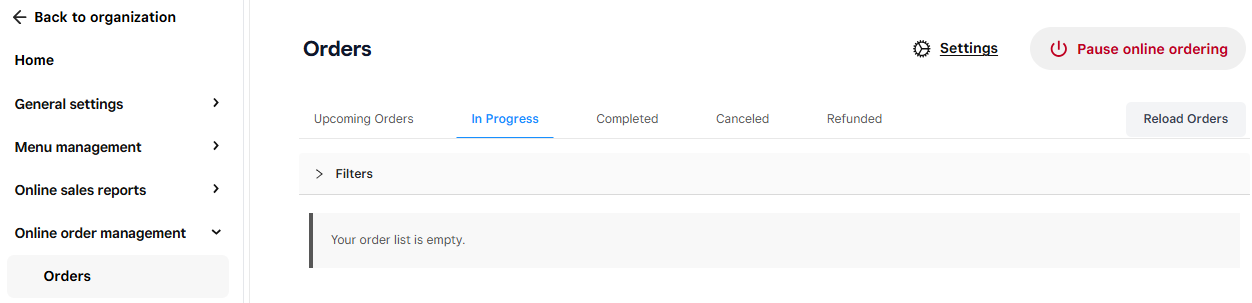
Click on Pause Online Ordering
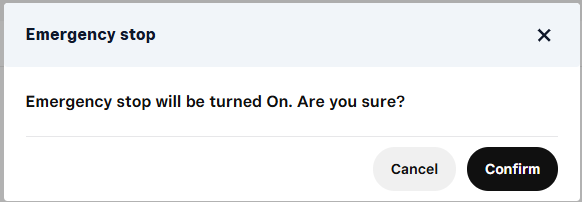
Click on Confirm to Pause Online Ordering
NOTE: You must go back into GoParrot to enable the site again
To Enable Online Ordering (App & Website)
Go to GoParrot/Online order Management/Orders
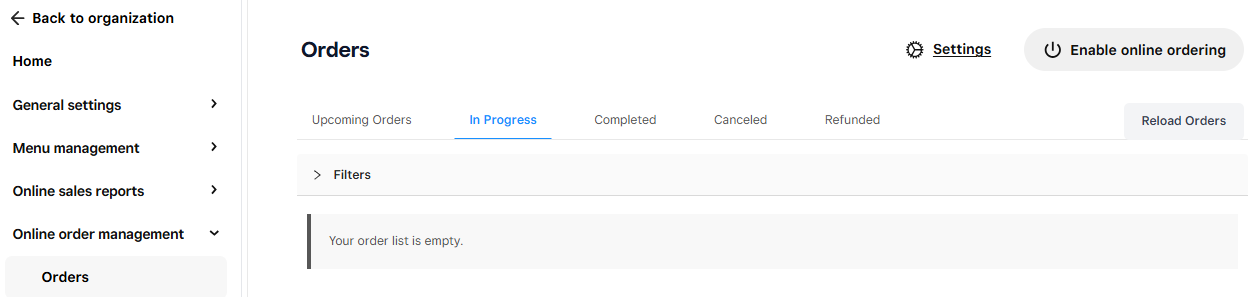
Click Enable Online Ordering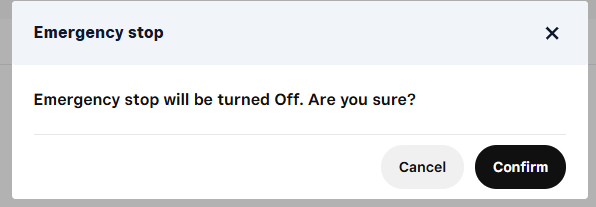
Click Confirm to turn online ordering back on
To Pause Third Party Ordering (Door Dash, Uber, etc)
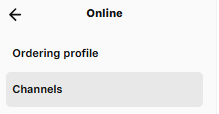
Go to Square Dashboard/Online/Channels
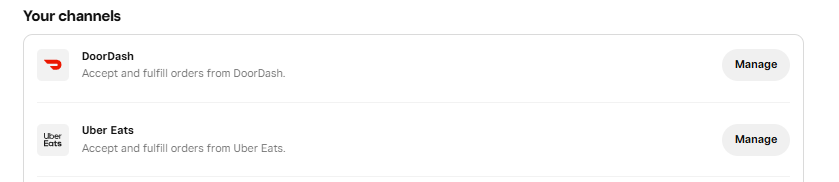
Click on Manage for each third party vendor
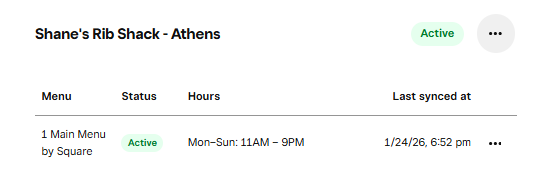 Click on ". . . " to open actions drop down menu
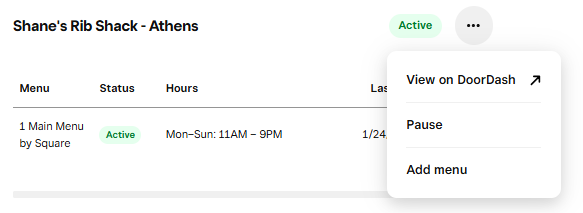
Click on Pause
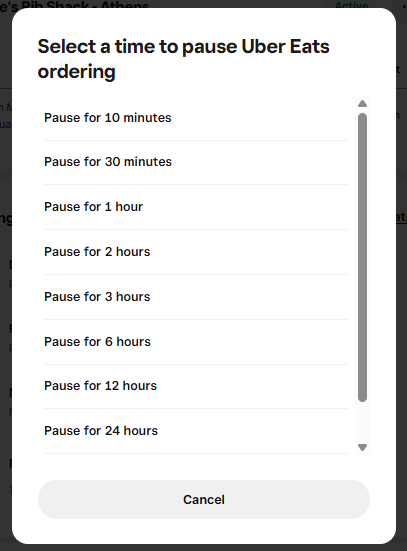
Select the amount of time you want to Pause third party sales

Click on Done
NOTE: You must go back into Square Dash Board to enable each third party vendor again
To Enable Third Party Ordering (Door Dash, Uber, etc)
Follow previous steps and click on " . . . " open actions drop down menu
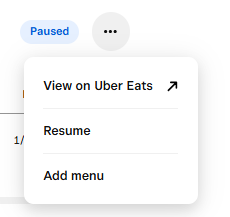
Click on Resume
Click on Done
To Pause EZCater
How to set up a Temporary Closure
1. Log into ezManage, open the settings tab and select a store.
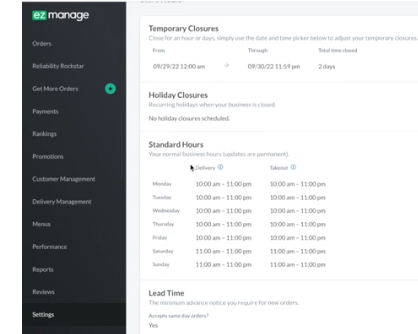
2. Scroll down to the Temporary Closure section and click the edit button in upper right hand corner.
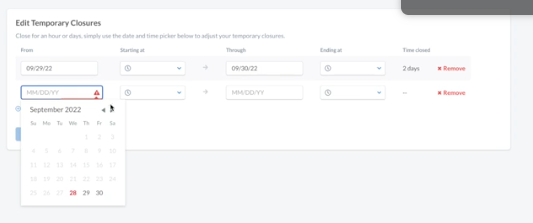
3. If you’re on your desktop and want to set a full-day closure, select the date range. You do not need to add the time frame. This will automatically set your store on a full-day closure. You can also set a time frame from the drop-down if you want to set a partial closure.
4. Click "Save Changes" to apply your store's closures.
5. You'll also be able to edit or delete these closures within your ezManage iOS app.
NOTE: You do not need to go back into EZCater to enable the site again. EZCater will automatically enable the site once the selected date/times have expired.
Was this article helpful?
That’s Great!
Thank you for your feedback
Sorry! We couldn't be helpful
Thank you for your feedback
Feedback sent
We appreciate your effort and will try to fix the article