GO to GoParrot/Franchise Suite
Then Menu Management/Categories
Click on Store Order to view current Order
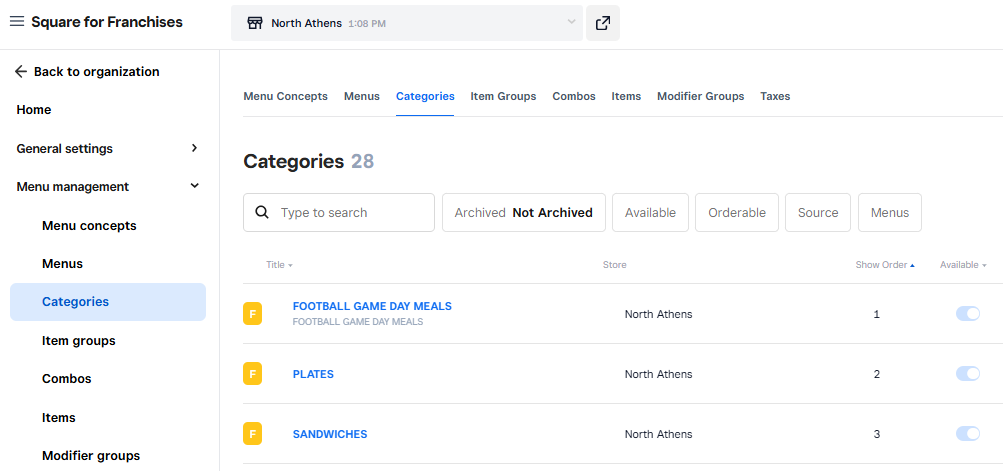
Click on Category you would like to change
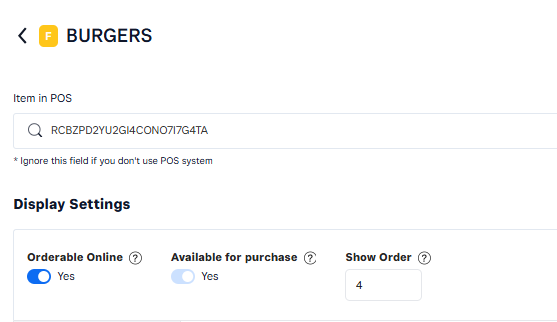
Go to Show Order field and change number to desired location
Hit Save
Go back to view to review order and/or make additional changes.
Was this article helpful?
That’s Great!
Thank you for your feedback
Sorry! We couldn't be helpful
Thank you for your feedback
Feedback sent
We appreciate your effort and will try to fix the article