*REVISED with PER DIEM instructions*
TO PAUSE ONLINE ORDERING & APP (Per Diem):
From the Per Diem Dashboard:
- Select location (at the top - step only needed for multi-unit operators)
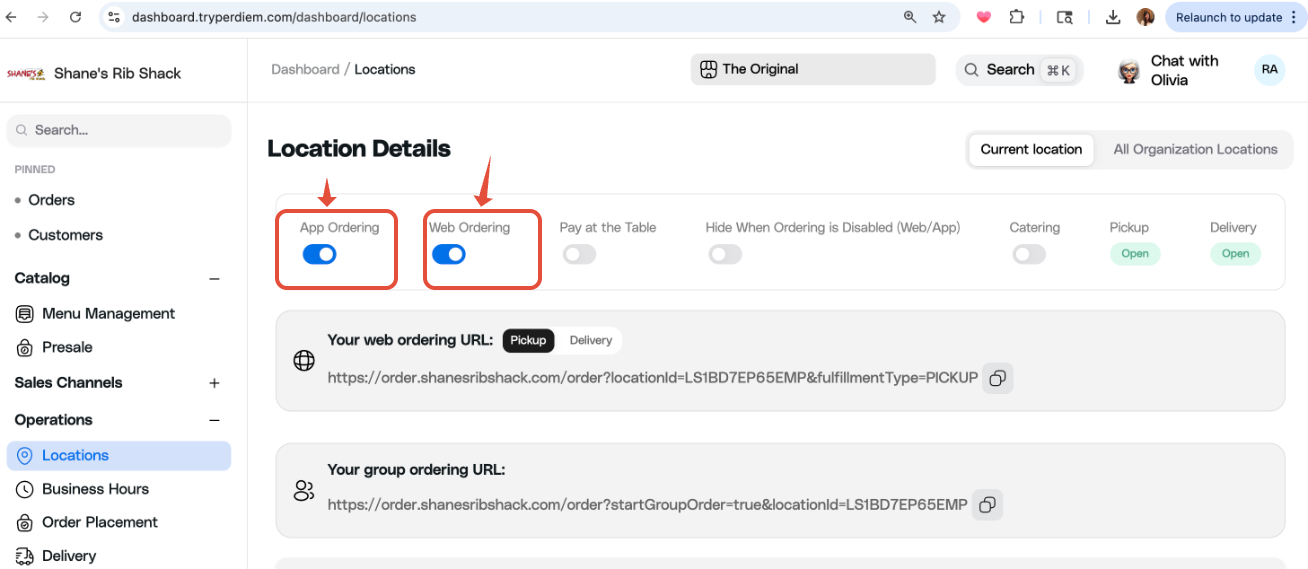
- Select "Operations" > “Locations”
- Toggle off both "App Ordering" AND "Web Ordering"
** This only controls Shane’s Online Ordering & the Shane’s App (must also pause 3rd party ordering)
-----------------------------------------------------------------------------------------------------------------------------------------------------------
TO PAUSE 3RD PARTY ORDERING:
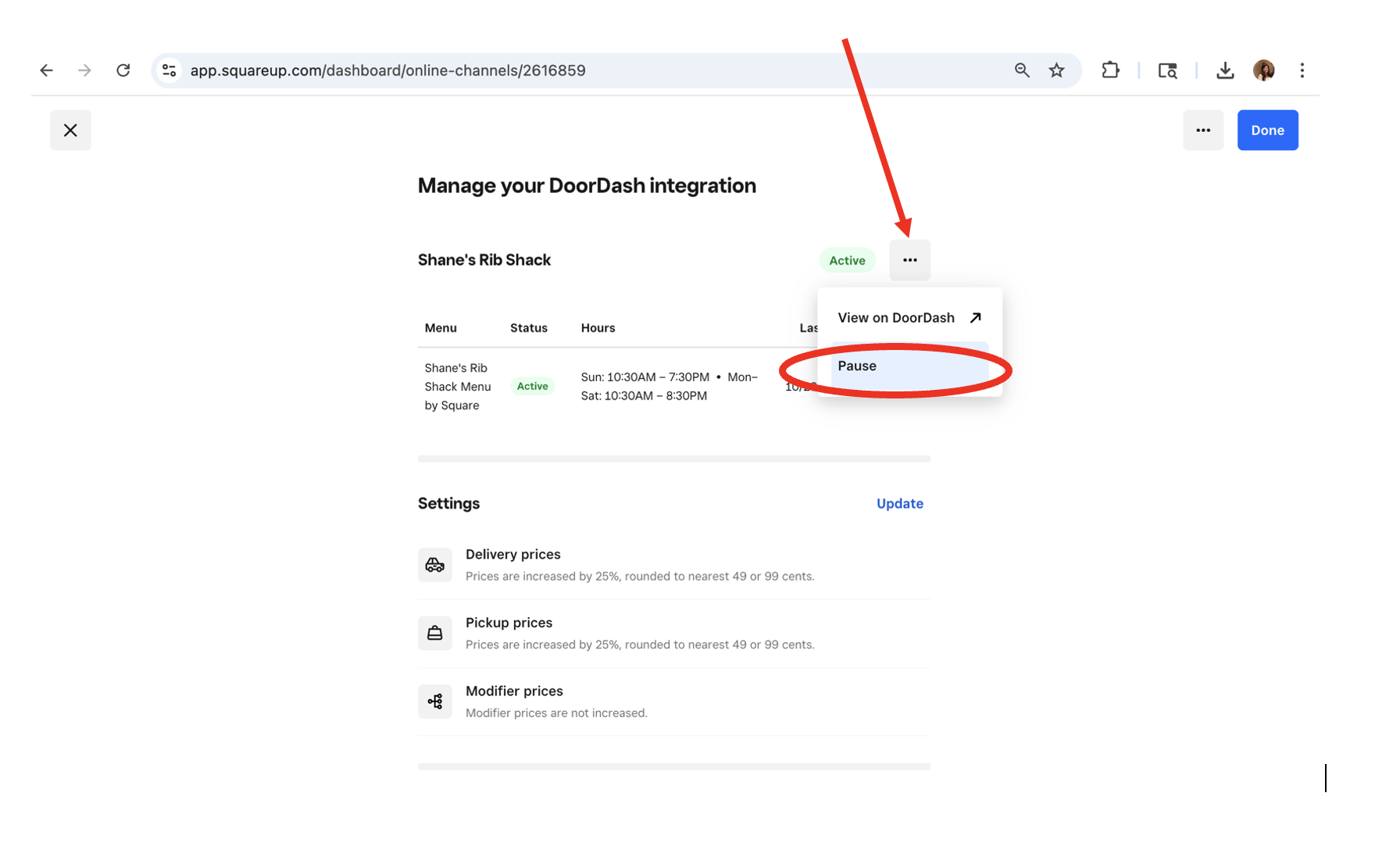
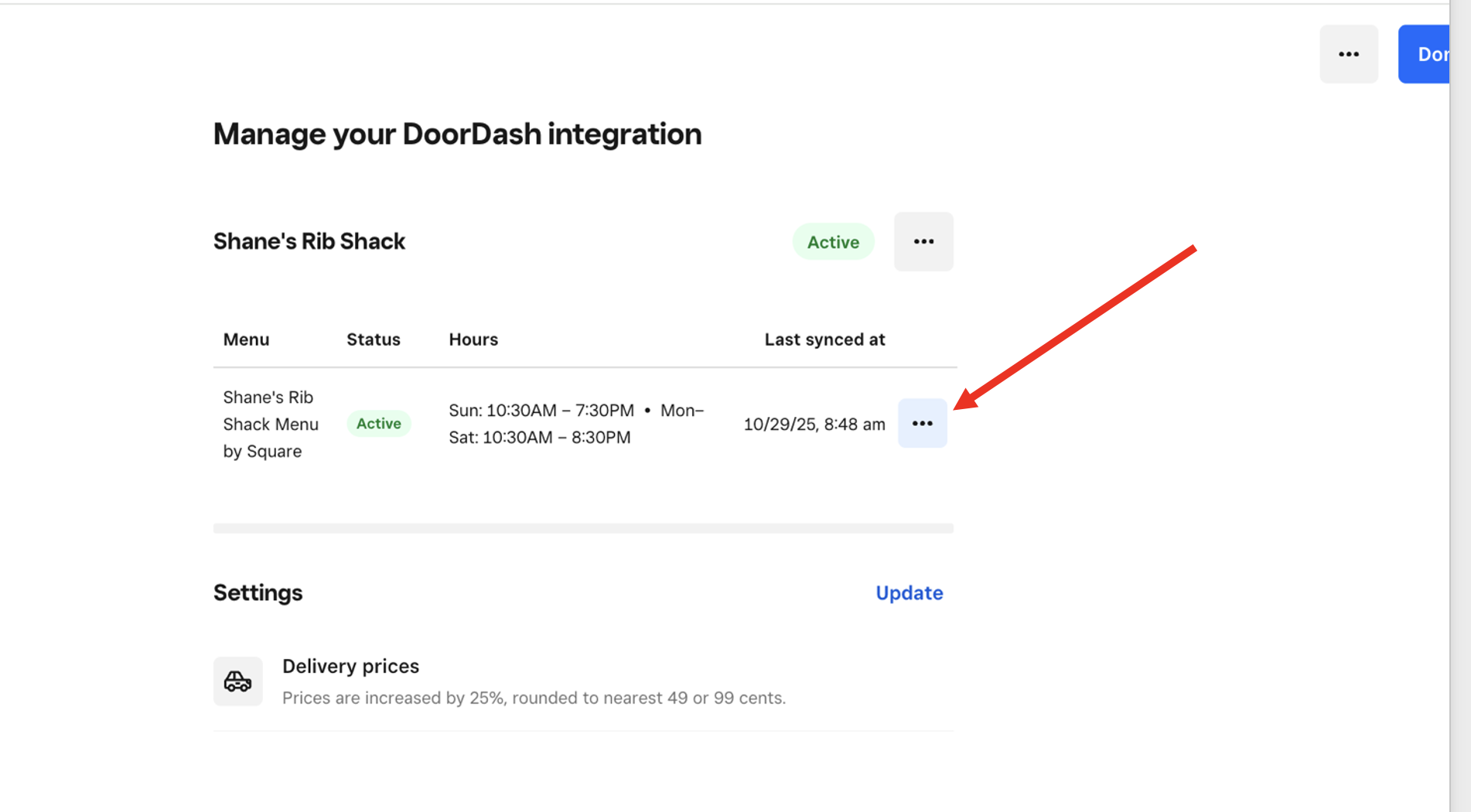
From Square Dashboard: Online --> Sales Channels --> select “Manage” on each 3rd party integration --> scroll down & click the first set of 3 dots --> Pause --> Choose how long to pause
** do this for each 3rd Party vendor you have integrated. **
-----------------------------------------------------------------------------------------------------------------------------------------------------------
TO SET SPECIAL HOLIDAY HOURS (for app & online ordering) (Per Diem):
** you can set holiday hours ahead of time if you know you will be closed or closing early)
From the Per Diem Dashboard:
- Select location
- Select "Operations" > “Business Hours”
- Scroll down to "Special Day Overrides"
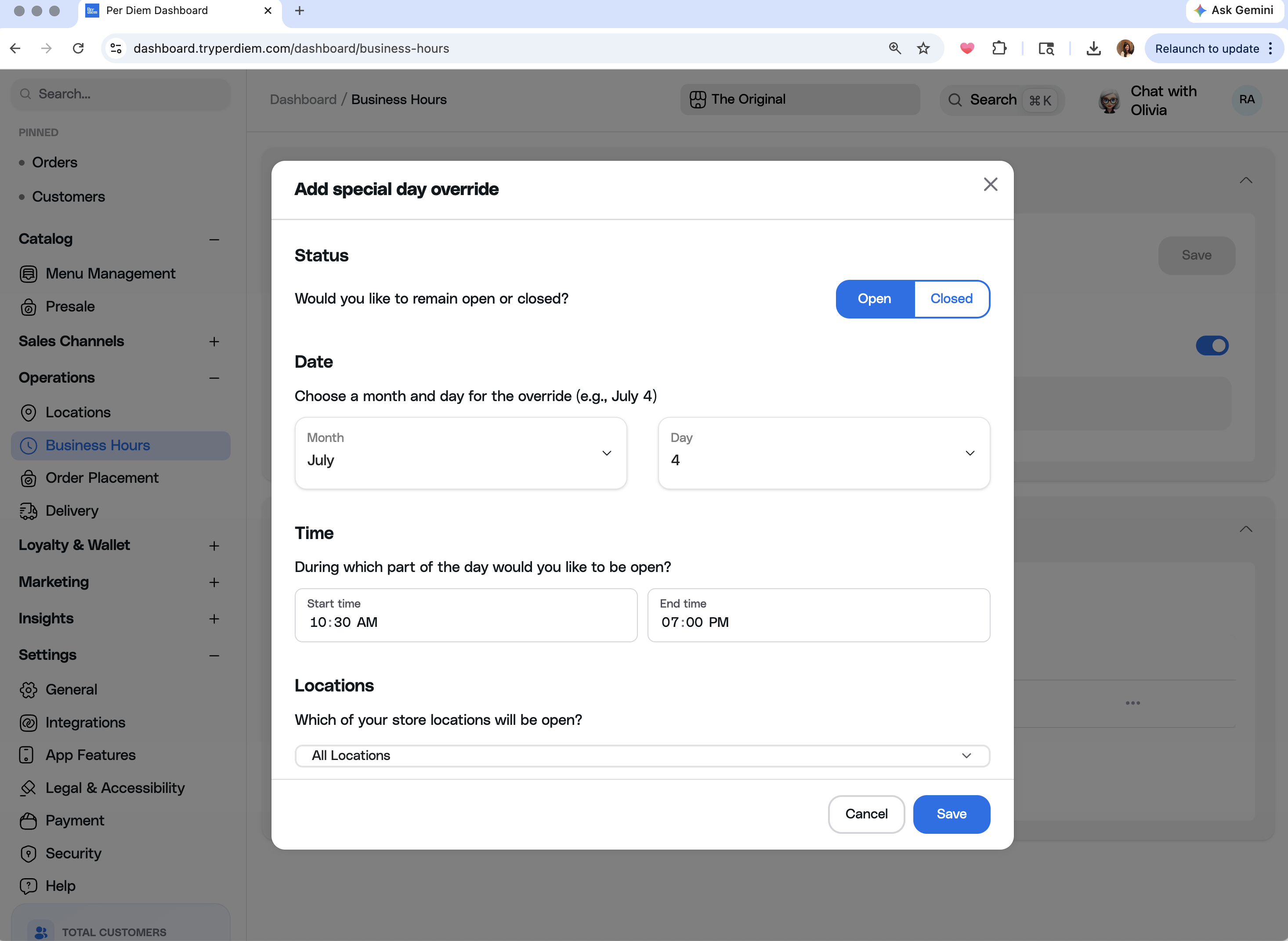
- Select "Add Special Day Override"
- Select "Open" if setting limited hours for the day --or-- "Closed" if closed all day (ex: Christmas)
- Save & it will show your new hours in the 'Special Day Override' category
** This only controls Shane’s Online Ordering & Shane’s App (must also pause 3rd party ordering day of)
-----------------------------------------------------------------------------------------------------------------------------------------------------------
TO EDIT STORE HOURS (for app & online ordering) (Per Diem):
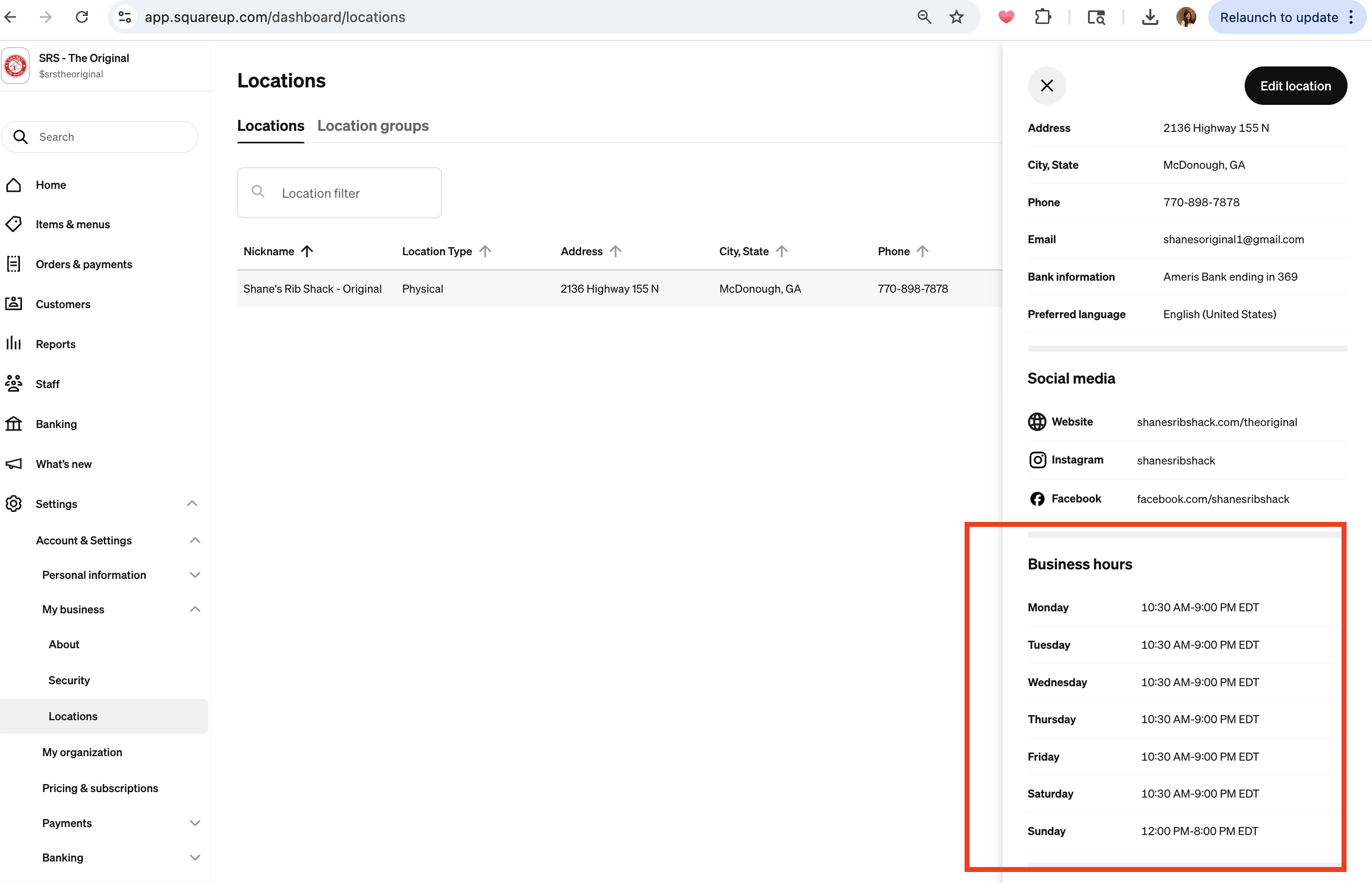
- From Square Dashboard: Settings --> "My Business" --> “Locations” --> select the location from the list (click into it) --> Edit hours under "Business hours"
-----------------------------------------------------------------------------------------------------------------------------------------------------------
MUST ALSO EDIT HOURS FOR 3RD PARTY ORDERING via Square Dashboard:
- From Square Dashboard: Online --> Sales Channels --> select “Manage” on each 3rd party integration --> scroll down to the store hours and & click on the 3 dots --> Edit menu hours
** do this for each 3rd Party vendor you have integrated. **
Was this article helpful?
That’s Great!
Thank you for your feedback
Sorry! We couldn't be helpful
Thank you for your feedback
Feedback sent
We appreciate your effort and will try to fix the article