There are two ways to display Caterings in the reports:
By Category
By Dining Options
By Category - the information displayed in reports is by category which means that a Build Your Own Shack Pack would display in the report as a food even if it was for a catering.
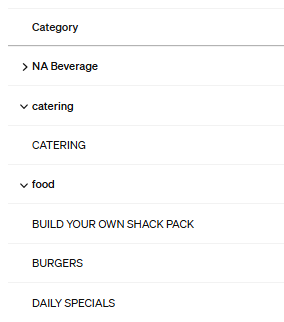
However, if the same catering was rung up with a Dining option of "Catering", everything on the ticket would display in the report as Catering instead of catering and food.
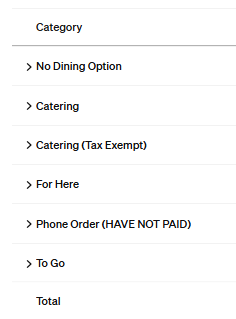
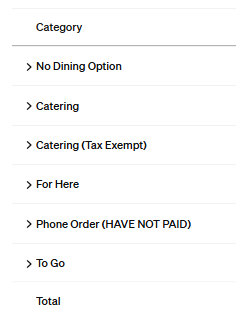
Therefore, the standardized process of ringing up caterings is to use the dining options "Catering" or "Catering (Tax Exempt)" for ALL catering orders.
When ringing up ANY catering, go to dining options first and select either Catering or Catering (Tax Exempt) and then ring up the entire order.
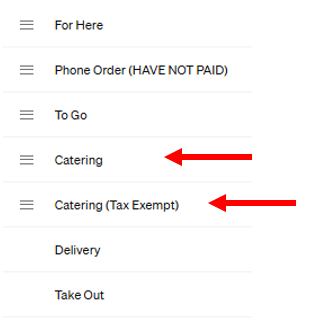
To view by Dining Options:
Go to Square Dashboard/Reports / Sales/Category Sales
Set Display by Option as Dining Options
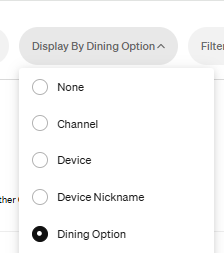
The report will show all items by the dining options selected.
Let me know if you have questions!
Was this article helpful?
That’s Great!
Thank you for your feedback
Sorry! We couldn't be helpful
Thank you for your feedback
Feedback sent
We appreciate your effort and will try to fix the article