Go to Dashboard/Items & Menus/Items/Item Library - Search for item
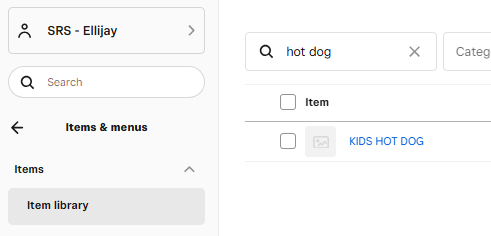
Click on item to enter the item's settings
Scroll down to this section
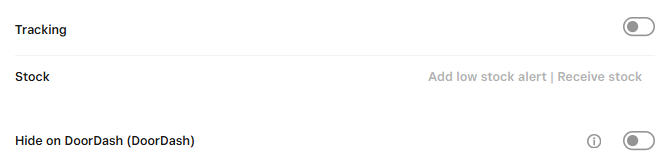
Click on Tracking and Hide on DoorDash
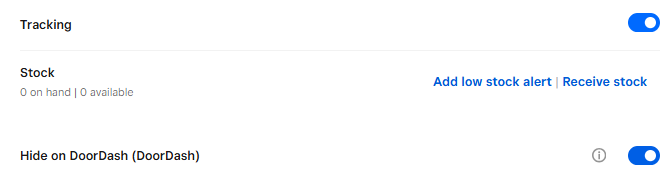
Notice that stock on hand now says 0 on Hand | 0 Available
Hit Save to save changes
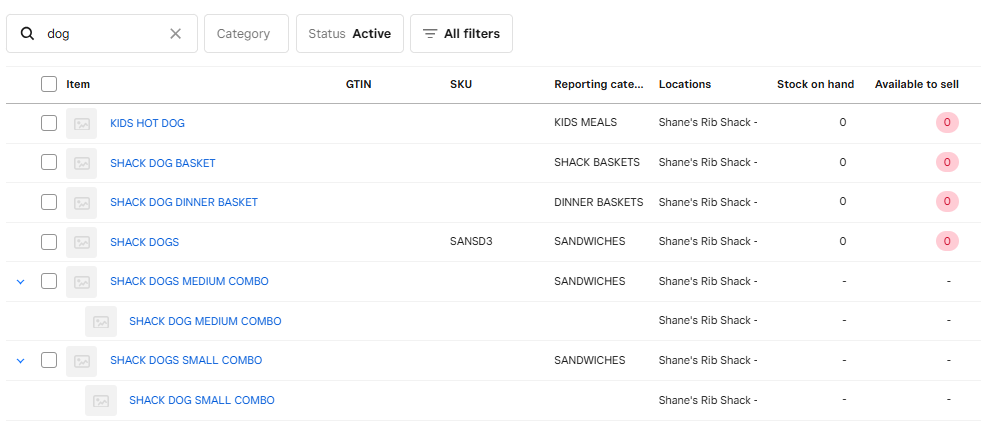
View now shows that item is pink and Zero available to sell

All items are now turned off. Even though Shack Dog combos are not pink, they are off by default because they are grouped with Shack Dogs which are marked out of stock.
DONT FORGET TO TURN TRACKING OFF AND UNHIDE on DOORDASH!!!
Was this article helpful?
That’s Great!
Thank you for your feedback
Sorry! We couldn't be helpful
Thank you for your feedback
Feedback sent
We appreciate your effort and will try to fix the article