If you are experiencing preparation times that are shorter than needed for third-party delivery orders, you can adjust these settings in the Square Dashboard to better align with your location’s operations.
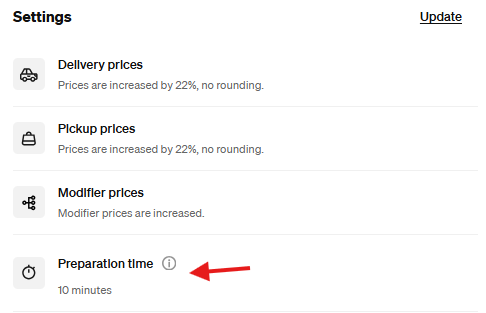
I recommend reviewing your current setup to ensure preparation times are properly configured and not set to defaults such as “No Time Set” or “Available Immediately.”
To review or update your preparation time settings, navigate to:
Dashboard → Channels → DoorDash or Uber Eats → Manage → Settings Update
Please ensure your settings accurately reflect your kitchen’s capacity to support smoother order flow and avoid operational challenges.
See the images below to make edits as needed.
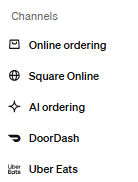
No Preparation Time Set
Preparation Time Set
Was this article helpful?
That’s Great!
Thank you for your feedback
Sorry! We couldn't be helpful
Thank you for your feedback
Feedback sent
We appreciate your effort and will try to fix the article