Here is a link to Square help document for timecards
https://squareup.com/help/us/en/article/8392-edit-employee-timecards
About editing timecards
A timecard is the record of a set of shifts, generally associated with a business’ pay period. Depending on the timeframe viewed, a timecard can include both in progress and completed shifts. To help maintain the accuracy of your timecards, you may need to make changes. Team members can also request changes to their timecards for past shifts through the Square Team App.
You will receive a notification when team members request edits to their timecards. You can approve or decline these requests from the email notification, Square Team App, or online Square Dashboard. Edit requests expire after 30 days.
View open timecards
You can view all open timecards in your Square Dashboard.
Sign in to your Square Dashboard, then go to Staff > Time tracking > Workday to view timecards for team members who clocked in but haven’t clocked out yet.
Open time cards will have a green dot to the left of the team member’s name.
Add a timecard
You can delete a timecard for your team members from Square Dashboard.
Sign in to your Square Dashboard, then go to Staff > Time tracking > Timecards.
Select Add timecard.
Select your team member, location, and job title.
Enter the appropriate date and hours worked.
Select Save.
Delete timecard
You can delete a timecard for your team members from Square Dashboard.
Sign in to your Square Dashboard, then go to Staff > Time tracking > Timecards.
Use the date selector and name filter to locate the timecard you want to delete.
Select the timecard and select Delete Timecard.
Select Delete Timecard again to confirm.
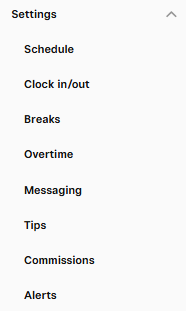
Other settings to consider for time cards
Some key settings are Start of the week and Team App Settings, Clock in/out rules, Overtime configuration, how tips are paid, what alerts are indicated on time cards and more.
Was this article helpful?
That’s Great!
Thank you for your feedback
Sorry! We couldn't be helpful
Thank you for your feedback
Feedback sent
We appreciate your effort and will try to fix the article